



M365 Manager Plus
M365 Manager Plus is a ManageEngine tool designed to identify potential risks within an organization’s Microsoft 365 environment. The solution is built to manage, monitor, report on, and map critical activities occurring across Microsoft 365. Its user-friendly interface makes it easy for new users to navigate through various Microsoft apps—such as Outlook, OneDrive, and Azure—and quickly identify potential threats.
The tool provides deep insights into Microsoft 365 through extensive, preconfigured reports. Additionally, it helps automate time-consuming tasks by offering bulk actions for user and mailbox management, secure delegation, and more.
All events are securely logged with consideration for data protection regulations, ensuring users receive valuable reports and alerts regarding suspicious or high-risk activities within their online work environment.
Why M365 Manager Plus
- Stay continuously informed about suspicious or high-risk activities in your M365 environment.
- One clear and intuitive dashboard to manage everything: users, mailboxes, groups, licenses, Exchange, Teams, OneDrive, and more.
- Bulk management of users, mailboxes, groups, and licenses—ideal for onboarding, offboarding, and reorganizations.
- Prebuilt and customizable reports, with export options, scheduling, and automation.
- Full insight and control over licenses: see which users and mailboxes are licensed, which licenses are expiring or unused—helping reduce costs and maintain compliance.
- Audit and compliance: track who did what and when—mailbox permission changes, file access, group membership changes, SharePoint/OneDrive activity logs, and more. Detailed logs and alerts provide visibility into potential misuse.
- Delegation and role-based access: assign limited tasks to help desk or non-IT staff without granting full admin privileges.
Microsoft 365 Reports and Audits
The tool includes more than 700 preconfigured reports covering various Microsoft 365 services, such as Azure Active Directory, Exchange Online, OneDrive for Business, and more.
These reports can be exported in PDF, CSV, XLS, or HTML formats. You can also view usage statistics for all Microsoft services and access compliance reports that help meet regulatory requirements such as SOX, PCI-DSS, HIPAA, GLBA, and FISMA.
Using the reports in M365 Manager Plus, you gain insights into:
- Mailboxes: Receive reports on inbox size, contents, email traffic, shared access, and malicious spam within Exchange Online.
- Active Directory: Monitor user behavior within Azure AD through reports on inactive, deleted, and licensed users; security and distribution groups; soon-to-expire licenses; and more.
- (Shared) Files: Track opened, modified, uploaded, and downloaded files in OneDrive and team environments.
- Skype Events: Reports on last login time, peer-to-peer sessions, internal conference calls, transferred files, and more.
Save time and reduce costs: choose M365 Manager Plus!
Management for Microsoft 365
In addition to reporting and auditing, M365 Manager Plus offers a range of management features to help you work more efficiently. Advanced capabilities enable you to perform actions in bulk, allowing tasks to be completed much faster. The tool also provides deeper insight into active licenses and their expiration dates. Examples of these management features include:

Mailbox Management
Monitor the status and performance of all mailboxes and obtain detailed information about their availability.
Azure Active Directory
Increase efficiency by performing password resets, removing inactive users, managing address attributes, and applying other changes in bulk.
Manage Teams
Create, modify, or delete multiple Microsoft Teams groups simultaneously and apply granular controls to manage teams more securely.
Microsoft 365 Automation
Configure the tool to automatically execute administrative tasks in order to streamline and automate workflows.
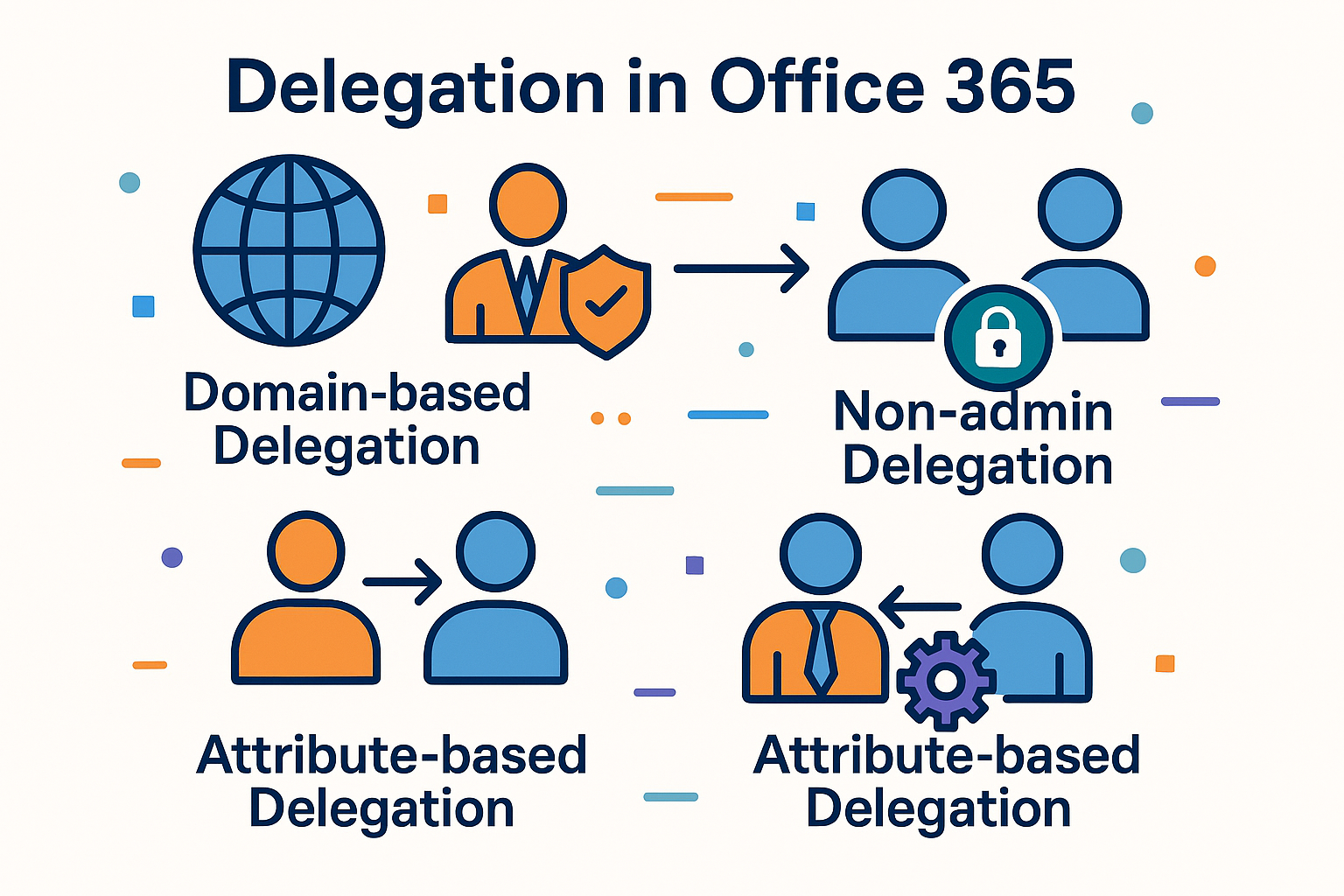
Delegation in Office 365
Within Microsoft M365 Manager Plus, you are not limited to standard roles. You can delegate tasks based on various characteristics within your team.
Domain-Based Delegation
If your organization contains multiple domains, you can create roles based on domains. By assigning administrators per domain, you ensure each domain has responsible owners monitoring activity.
Non-Admin Delegation
Create roles and delegate tasks to users who do not have administrative privileges. You can assign trusted team members specific tasks such as resetting passwords or modifying contact information.
Attribute-Level Delegation
Attribute-based delegation allows administrators to assign tasks to users without losing control. Admins are often hesitant to delegate admin rights due to the potential risks. Attribute-level delegation helps resolve this concern by enabling secure, limited, and controlled delegation.
Monitoring within the Microsoft 365 environment
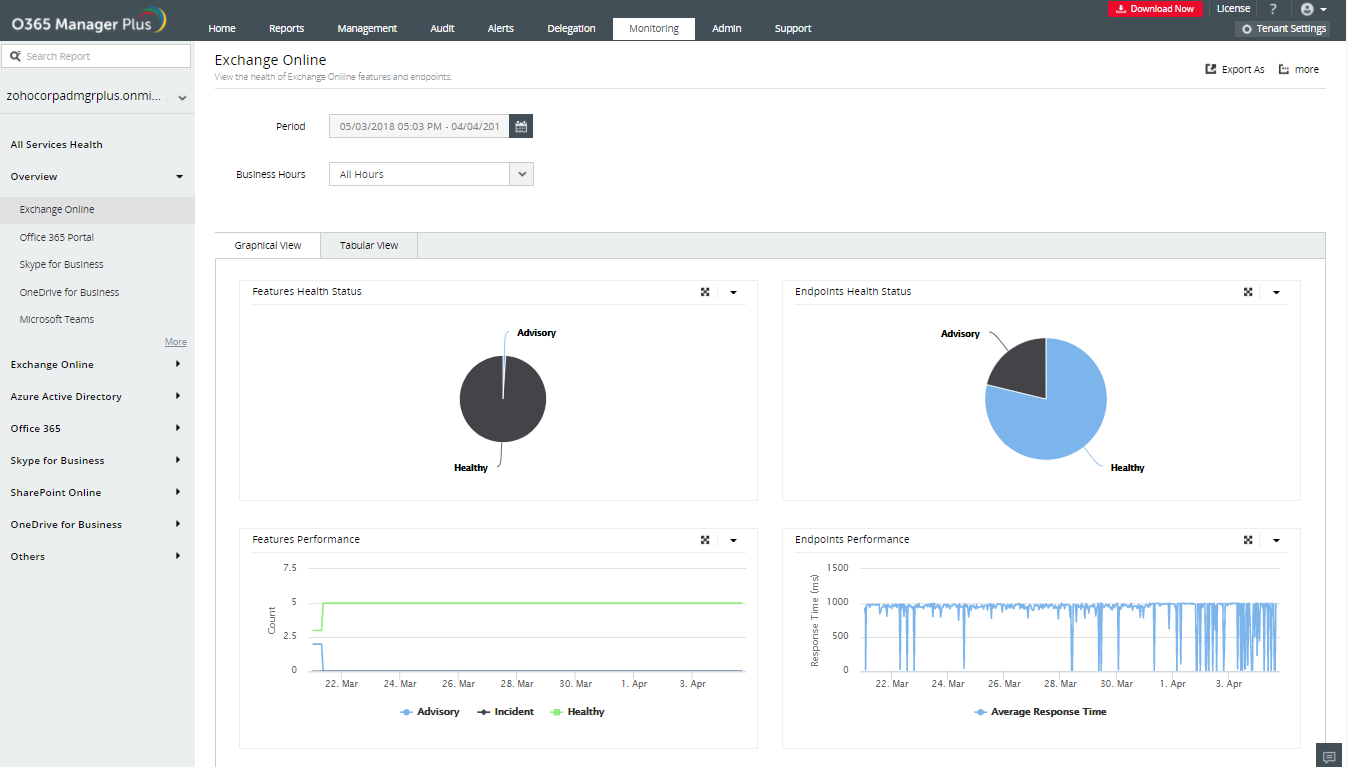
The tool continuously monitors all Microsoft 365 services. As a user, you can view all critical or potentially dangerous situations from a single, central location. Receive alerts whenever risky activities occur. M365 Manager Plus includes, among other things:
Endpoint Monitoring
Monitor the health and performance of all endpoints to gain insights into their availability.
Real-Time Alerts
Always stay informed about the status of Microsoft 365 services and endpoints. Receive instant email notifications when a server becomes unavailable.
Historical Data
Access historical data on service health. This includes data older than 30 days—something that is not possible with Microsoft’s native tools.
Detailed Dashboards
Find all relevant details, such as the number of incidents and recommendations across different services and endpoints, within the corresponding dashboards.
Demo or Quote?
Discover how AppCreator can empower your organization. No obligations, no costs. Our experts will show you the possibilities and answer all your questions.
Bel +31 (0)20-6104888
Related articles
More articles